Free guide · 3 min read · No account needed
Your first 10 minutes in Banana Options
Open a chart, arrange panels and save your workspace.
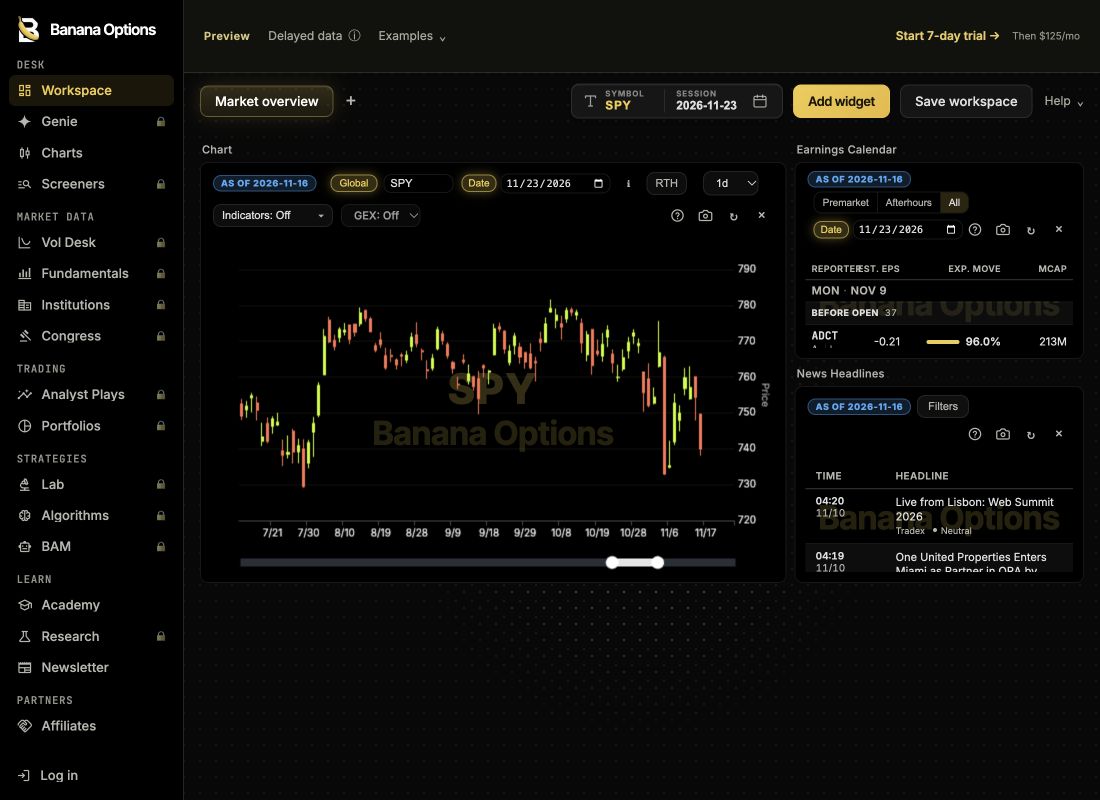
- Read the available date
Each panel shows its data date.
- Link the symbol
Change the shared symbol, then check which panels follow it.
- Keep your desk
Create a free account when you want to save the preview layout.
Open your desk
Open Workspace. The market overview starts with a chart and available supporting panels.
Check the date
Read the As of badge on each panel. Guest data is at least one trading session old. Session is the date requested; As of is the data supplied. Calendar events and filings have their own dates.
Change the symbol
Enter a ticker in Symbol to update linked panels. Market-wide calendars and headlines keep their own scope. Choose Examples for a view with data.
Arrange the panels
Drag a panel’s header to move it and resize from its corner. On mobile, panels stack vertically.
Open Add widget → Available to add a panel. Locked widgets require membership. A locked symbol or filter has no guest preview; it does not represent a zero reading.
Save your layout
Choose Save workspace. Guests are asked to create a free account; signed-in visitors save to their account. A free account does not unlock member data.
When you become a member, you can import the preview as a new layout alongside your saved layouts.
Need help?
Open Help beside the workspace controls for this guide, the glossary or Reset preview.